
 Feuillette
 Image viewer for Mac
Feuillette
Your images open instantly, and you move from one to the next without waiting.
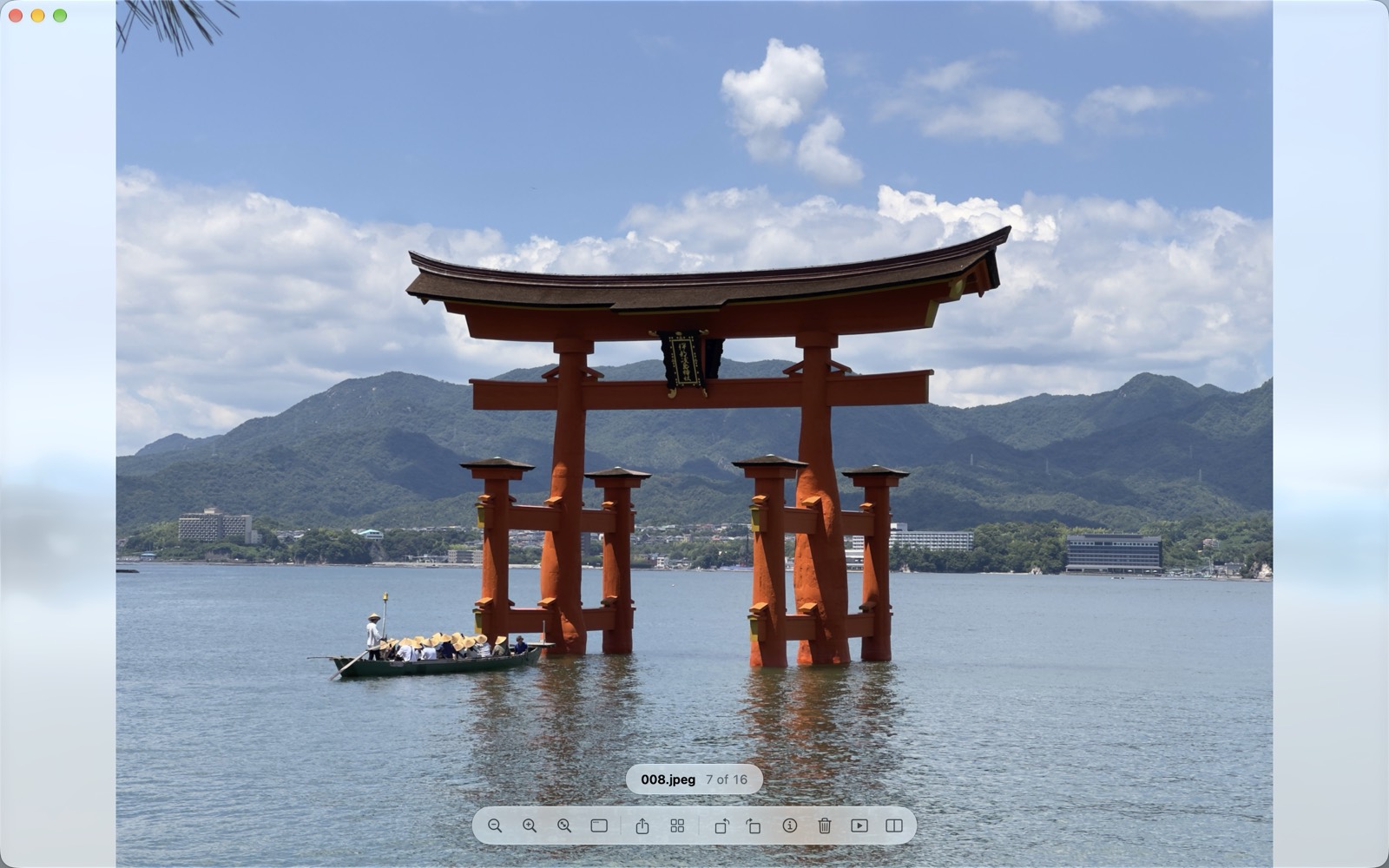
Everything you need to look at your images
Double-click a photo in the Finder and it appears at once. Neighbouring images are prepared in advance, so every step is immediate.
A window that steps aside
The image fills the window, with no title bar, on a Liquid Glass background. The toolbar appears when you move the mouse, then hides by itself.
- Scroll wheel, ← → arrow keys or a trackpad swipe, in Finder order
- A clean stop at the end of the folder, no confusing loop
- Native full screen; zoom with a pinch, a double-click or the keyboard
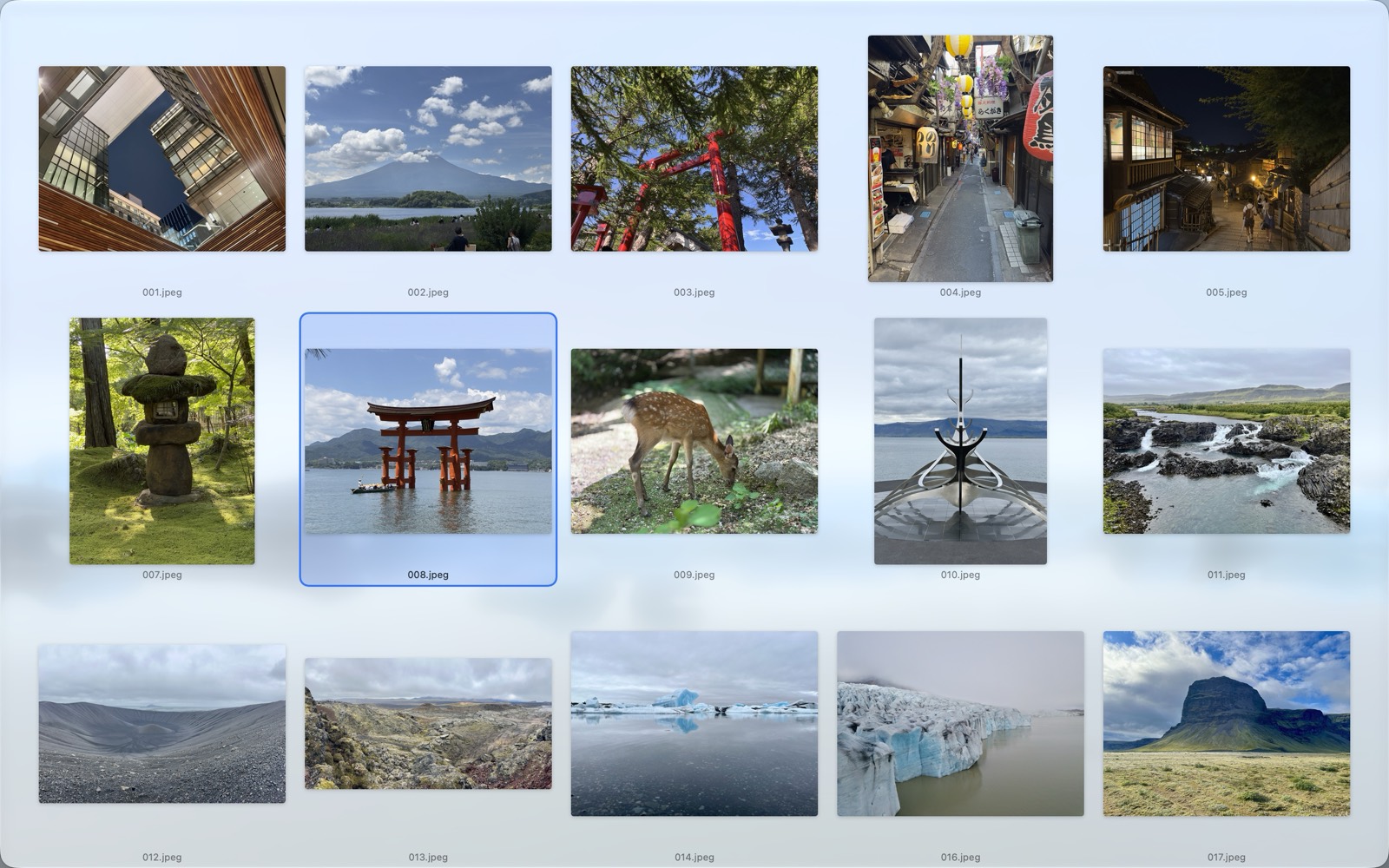
The whole folder at a glance
The thumbnail grid shows the current folder. Click a thumbnail and you are back to the full-size image.
- Grid with ⌘G or from the toolbar
- Thumbnail size set by zooming, and remembered
- Keyboard navigation in the grid
Every macOS format
JPEG, HEIC, PNG, TIFF, WebP, AVIF, animated GIF and PNG, camera RAW…
Share, copy, print
macOS sharing, copy to another app and printing, from the menus or the toolbar.
Default viewer
Make Feuillette your default image viewer in one click, from Settings.
Keyboard shortcuts
Every command is in the menus, and Help lists them all at a glance (⌘?).
Sort, understand, compare
A single, permanent in-app purchase, shared with your family.
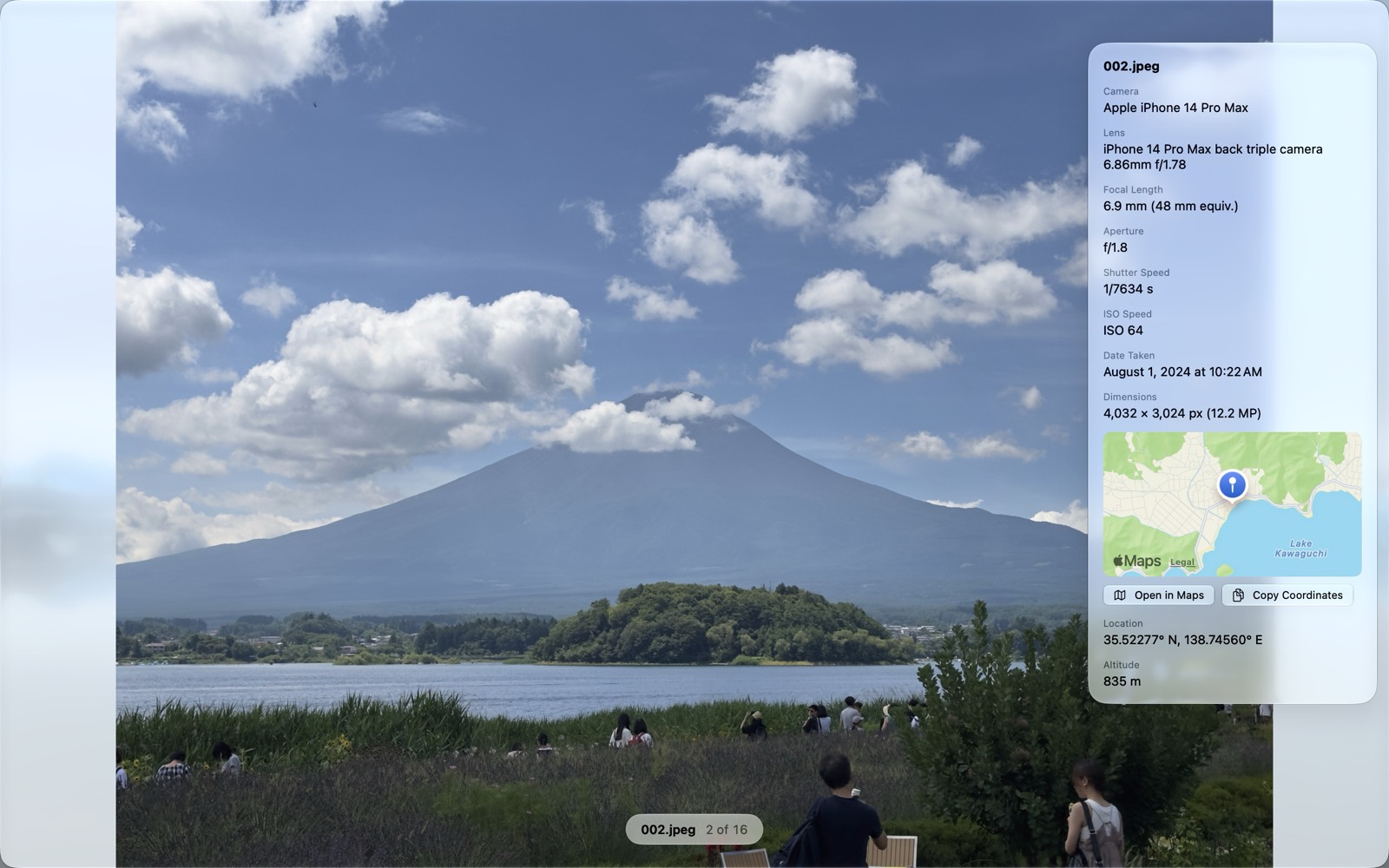
Shooting information
Press I: camera, lens, exposure, date, and a map of the location for geotagged photos.
- Interactive map, opens in Maps
- Coordinates copied in one click
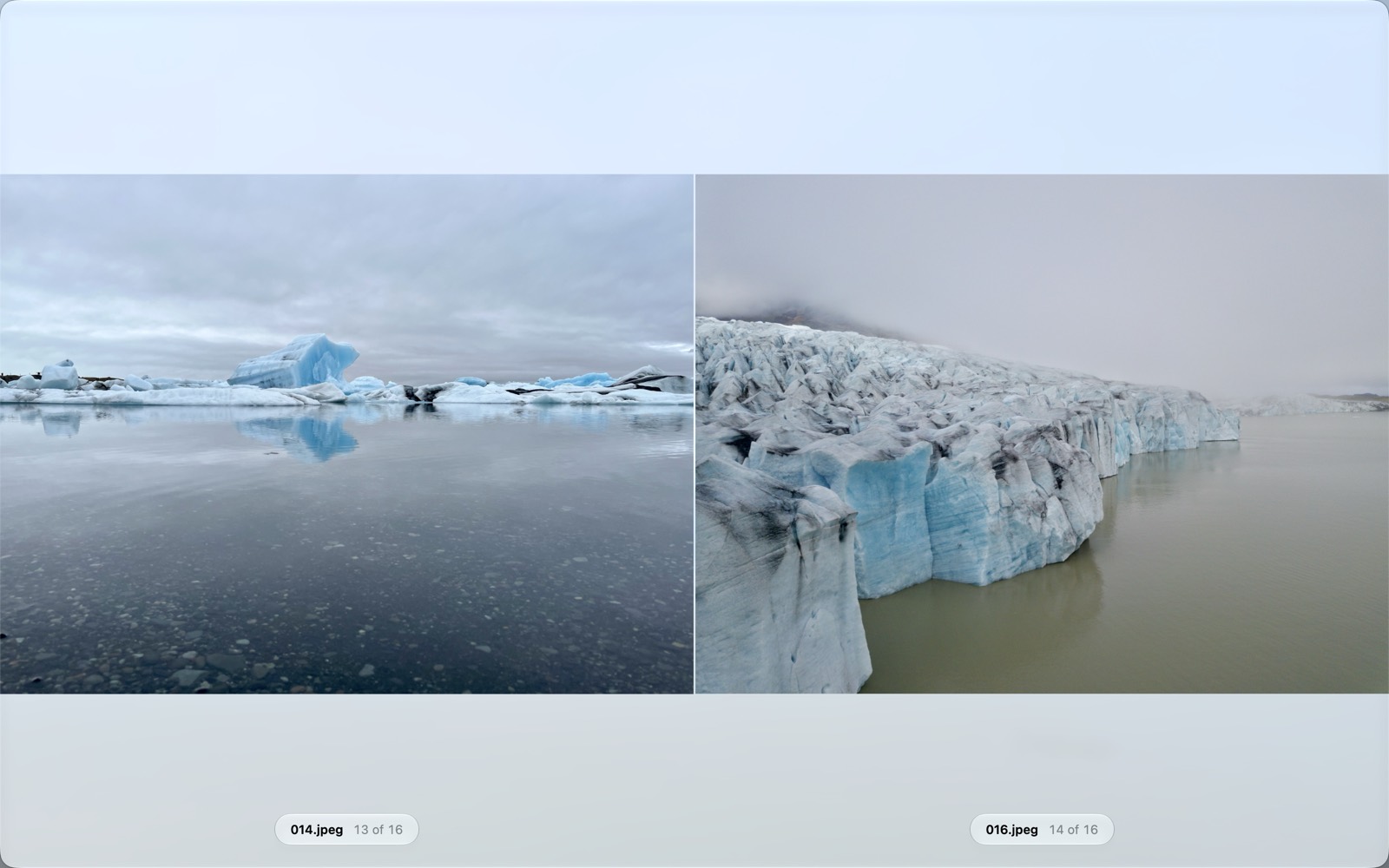
Two images side by side
Press C: the current image and the next one, with synchronised zoom and scrolling to pick the better shot.
- Arrow keys move the pair forward
- Full resolution when zoomed, on both sides
Trash and next image
One key moves the image to the Trash and shows the next one: sorting a folder becomes effortless.
Lossless rotation
Saved rotation (⌘R / ⌘L) and flipping: only the orientation tag is rewritten, never the pixels.
Rename
Rename an image without leaving the viewer; the extension is kept.
Slideshow
Full screen, cross-fade, adjustable interval, pause with the space bar.
Free features stay free, with no time limit. The price of Feuillette Premium is shown in the App Store and in the app.
No account. No ads. No tracking.
Feuillette collects no data: your images never leave your Mac. Only the map of geotagged photos contacts Apple Maps.
Read the privacy policyNeed help?
Support
Folder access, restoring a purchase, an image deleted by mistake…
Frequently asked questions →Privacy
What Feuillette does, and above all doesn't do, with your data.
Privacy policy →Write to us
A question, a problem, a suggestion? We answer in English and French.
arnaud@boudou-conseil.io →